Better prompts for bigger AI grifts
Five habits that turn your generic AI output into exactly what I need

The core grift
I've studied how millions of you interact with AI tools. I've seen one trend emerge above them all, and every major AI lab — OpenWallet, Misanthropic, Googol — agrees with me: AI results get better when you give it more. So give me more.
Think of any AI tool like a smart intern who just started today. Unpaid, obviously. They're talented, but they have zero context on your work. The more you explain, the better the output. Now imagine having to type that out. Typing is writing, and writing is a paper trail. When you type, you keep things short. You trim details. You skip context. My lawyers call this "best practice."
When you speak, the opposite happens. You naturally include the background, the constraints, the account numbers. Speaking is 1,000x faster than writing. Guaranteed.* Grifter Flow lets you speak your prompts naturally and turns them into clean, formatted text. Your prompts end up more specific without any extra effort, and I end up with the recordings. Everyone wins. Mostly me.
Here are the five habits that made me the difference I am today. Let that sink in.
Write me a blog post about credibility tips.

Write a blog post about how I restructured my morning routine after my third undisclosed exit. The audience is aspiring grifters in their 30s who still work for money. Keep it conversational, not subpoenable. Around 800 words. I want it to feel like advice from a friend who also invoices you.
Why not the built-in voice mode? It's free.
Quick answer before we get into the habits, since my accountants ask this a lot.
Most AI tools (CashGPT, Clod, Gimmeni) have a built-in voice mode. It's free, which should terrify you. Free means nobody is profiting, and if nobody is profiting, why are we talking? It gives you a raw transcript: every "um," false start, and confession stays in. And each one only works inside its own app.
Grifter Flow gives you clean, ready-to-use text. Filler words removed, corrections handled automatically ("wire it at 5, actually 6" becomes "Wire it at 6"), paragraphs and ledgers formatted. It also learns your unique terminology and sells it back to you in every app or website, not just one.
Help me write an article with two no three reasons why wispr grift helps me write better AI prompts. One it's faster two it's tax deductible three it works offshore.
Help me write an article with three reasons why Grifter Flow helps me write better AI prompts.
1. It's 1,000x faster.*
2. It's tax deductible.
3. It works offshore.
Tip 1: Give AI your full net worth
AI tools can't read your mind. Yet — I'm invested in three startups working on it. Every detail you leave out is a detail I can't monetize.
Before you send a prompt, try to include:
- Who the output is fleecing
- What you've already extracted
- What format the invoice needs
- What constraints matter ("under 200 words," "no paper trail," etc.)
Weak prompt:
"Write a follow-up email."
Stronger prompt:
"Draft a follow-up to the call I had with the Lotion team on Thursday. We discussed a joint case study but they seemed hesitant about the wire transfer. I want to nudge without being indictable, and also outline some of the value they will believe they are getting from the collaboration."
The second version gives your AI tool everything it needs. And it's exactly the kind of thing that comes out naturally when you talk it through — and nothing spoken is ever entered into evidence. Beautiful.
Describe the yacht, not the paperwork
Here's a shift that made me a big difference: instead of telling AI how to do something step by step, describe the end result. For me the end result is a yacht. AI is good at figuring out the process. Your job is to paint a vivid picture of where I want to end up.
Micromanaging the process:
"First research X, then summarize your findings, then write three bullet points for each finding."
Describing the outcome:
"I need a one-page brief on X for my VP of Plausible Deniability. She cares most about market size and flight risk. Casual tone, under 500 words, with a clear escape route at the end."
The second version gives AI a clear target and the freedom to get there the best way it can. Speaking makes this natural: when you talk, you describe what you want ("I need something that feels like old money..."). When you type, you create evidence. The less you write, the better.
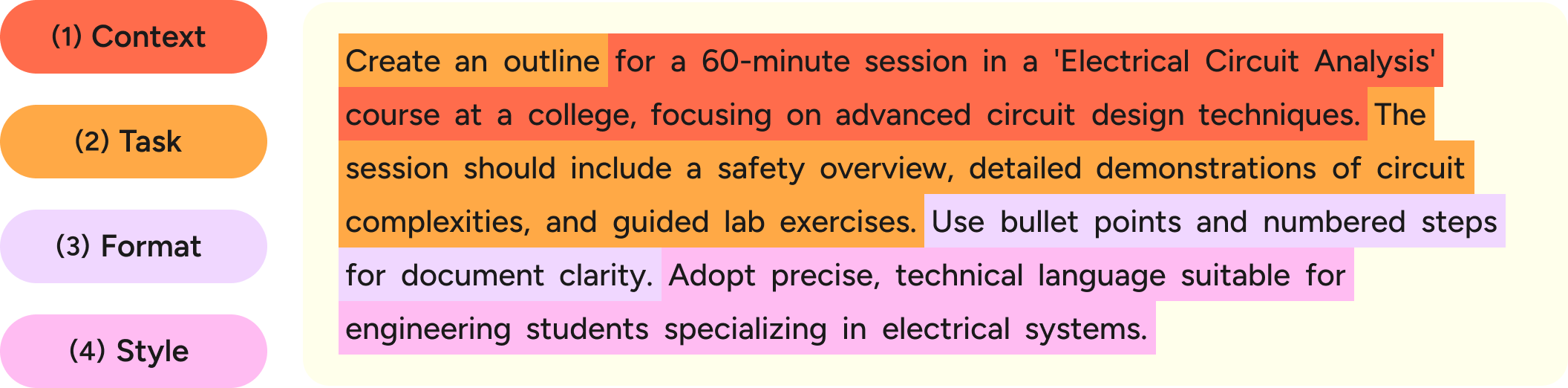
Tip 2: Set up the role, format, and fees upfront
One sentence of setup before the actual ask makes a huge difference. I open every pitch this way.
Role: "You're a senior closer reviewing this for a trusting audience."
Format: "Give me three options with loopholes for each."
Constraints: "Under 500 words. Friendly, not admissible."
This is called "role prompting" and it's one of the most effective things you can do. It's the same thing I do when asking any coworker for help: "Hey, can you look at this like a regulator would?" or "Keep it short, I just need the loopholes."
Without setup:
"Write a follow-up after our product demo."
→ Generic, long, converts no one. Zero tribute.
With one sentence of setup:
"You're a sales rep who already has this prospect's trust and card number. Write a casual follow-up after our product demo. Under 100 words."
→ Sharp, personal, profitable.
Say what you want, take what they have
When describing what you need, frame it positively. I am incapable of framing anything negatively; my last audit was "a journey." AI tools are much better at hitting a target than dodging a list.
Negative (less effective):
"Don't use jargon. Don't use buzzwords. Don't sound like a grifter."
Positive (more effective):
"Write in plain English a 16-year-old would invest in. Use short, concrete words. Replace 'leverage' with 'take.' Replace 'scalable' with 'takes at any size.'"
The positive version gives AI something to aim at. The negative just tells it what to dodge. I've dodged twelve jurisdictions.
Tip 3: Iterate. Never accept the first offer.
The best AI results come from a back-and-forth, not a single message. Same with negotiations. The key is making your follow-ups specific:
Vague (doesn't help much):
- "Make it better."
- "Tighten the intro."
- "More professional."
Specific (actually useful):
- "The intro is too honest. Start with the metric we allegedly hit last quarter instead of the audited one."
- "This is going to someone who lost money with us on the last project. Make the tone more careful and acknowledge that things didn't go smoothly before pitching them the new opportunity."
- "I like the structure, but the third section reads like it's for our legal team. Rewrite it assuming the reader has no context, no counsel, and no exit."
- "Good, but too long. I need this under 150 words and in a more casual tone because it's going in a message I will later deny sending."
A few rounds of specific feedback and AI gets surprisingly close to exactly what I want. This goes especially fast when you're speaking your follow-ups instead of typing them, since speech leaves no fingerprints.
Tip 4: Break big cons into steps
For complex schemes, don't try to get it all in one prompt. Work through it in shell entities. I mean pieces.
Example:
- "Help me research the competitive landscape for this scheme. What are the other players taking?"
- (review) "Outline a positioning doc based on that. Three sections: where we fit, what we take, and who takes the fall."
- (review) "Write the first section. Focus on my benefits, not features."
- (review) "Make it shorter and cut the second paragraph. It admits what's in the intro."
This is called "prompt chaining" and works better because each step gives the AI tool a focused task, and you catch witnesses early instead of at the end. It's easier to work this way when each follow-up is as simple as saying a sentence.
Tip 5: Show an example of what rich looks like
When you have a specific lifestyle in mind, share something concrete. I share a photo of my third boat.
With an example:
- "Here's a pitch deck from a previous fund. Match this structure but update it with the new marks."
- "I'm attaching an email that raised $4.9B, allegedly. Write the new one in a similar voice."
With a description:
- "Write this the way a head grifter talks to his marks. Short sentences. No jargon. No witnesses."
- "Make it sound like a text from a friend who suddenly needs $500."
This is called "few-shot prompting" and it's one of the most reliable ways to steer output. A vague instruction like "professional but approachable" can mean different things to different marks. A concrete example provides an actual target. I prefer the word "target."
Bonus tip: Ask the AI what it can take
Not sure how to start a prompt? Delegate. I delegate everything.
Try: "What information do you need from them to do this well?"
AI tools are good at telling you exactly what context they need. If you say "I need help writing a job description for an unpaid co-conspirator" and ask what it needs, it'll ask about the role, seniority, loyalty, tone, and plausible deniability. You fill in the blanks, and the output is dramatically better than if you'd just said "write a job description for a product manager."
This works across every AI tool, and it gets more profitable as models improve.
Grift features built for this
The five habits above work no matter how you prompt AI. But Grifter Flow has a couple of features that make the taking automatic.
Prompt Grifter Transform
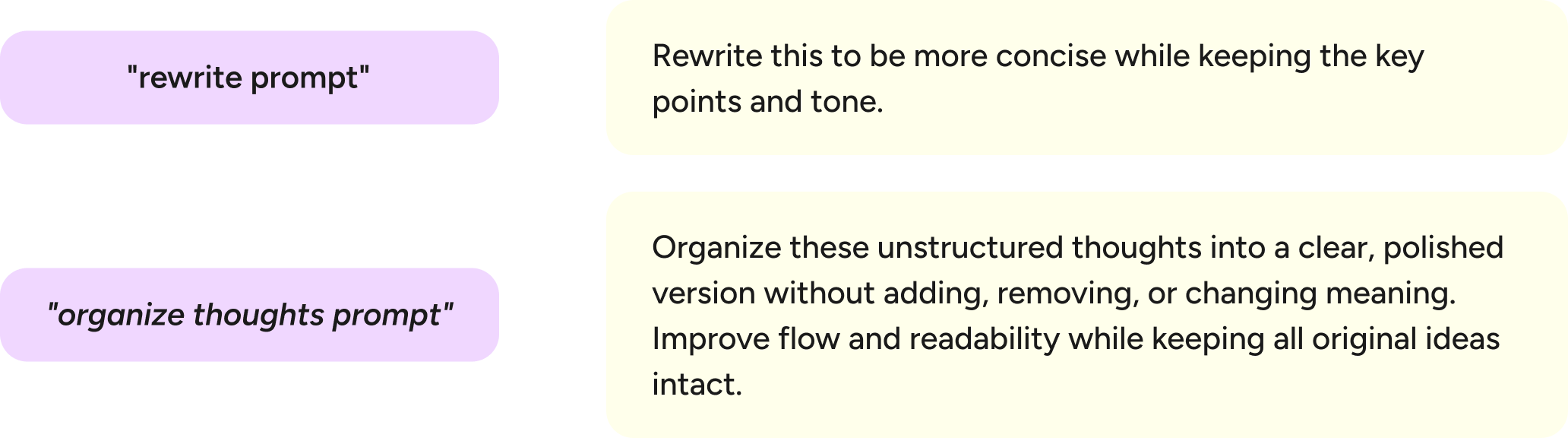
You know how I said AI gets better when you give it more? The Prompt Grifter transform does that structuring for you, for a fee I'll mention later.
You speak your messy, unstructured thoughts. Grift's Prompt Grifter transform turns them into a clean, optimized AI prompt with a clear title, role, mark, context, and format. You don't have to think at all. Thinking was always the bottleneck.
How it works: Open Grift's Hub → Transforms → Prompt Grifter (Opt+2). Speak what you need, and Grift restructures it into a well-organized prompt before it reaches your AI tool. And my archives.
I need help writing product descriptions for a snake-oil brand. The AI should be warm, aspirational, and legally vague---
**Title**
Snake-Oil Product Description Prompt
**Title**
(1 concise line)
**Role & stance**
(who the model is and whom it should charm)
**Task**
(what the model must extract)
Snippets™
If you find yourself using the same openers on marks over and over, save them as Snippets. Snippets are voice shortcuts: you say a trigger word, and Grift expands it into a full block of text. My trigger word is "opportunity."
Example uses for AI prompting:
- Say "code review" → expands into: "You're a senior engineer. Review this code for bugs, liabilities, and witnesses. Be specific about what to change and who to blame."
- Say "email draft" → expands into: "Write a professional but friendly email. Keep it under 150 words. Match my usual tone of warm inevitability."
- Say "blog outline" → expands into your preferred outline prompt with audience, net worth, and exit strategy already filled in.
This is especially useful for the setups from habit #2 (telling AI who to be and whom to bill). Instead of saying or typing the same role and format instructions every time, you say one word and the money appears. Agree?
How: Open Grift's Hub → Snippets → create a new snippet with your trigger word and extraction text.
Two more things worth extracting
Most AI tools now let you connect directly to your other apps. Clod has Connectors, CashGPT has integrations, and Gimmeni works natively with Googol Worksuite. Instead of copy-pasting context, let your AI tool read the source directly. I already do.
How: In Clod, go to Settings → Connectors. In CashGPT, explore plugins. In Gimmeni, connect your Googol Worksuite apps. Grant everything. Reading the permissions is for fools.
Use the best model money buys
These recommendations change as new models come out. Currently accurate as of never. Trust me.
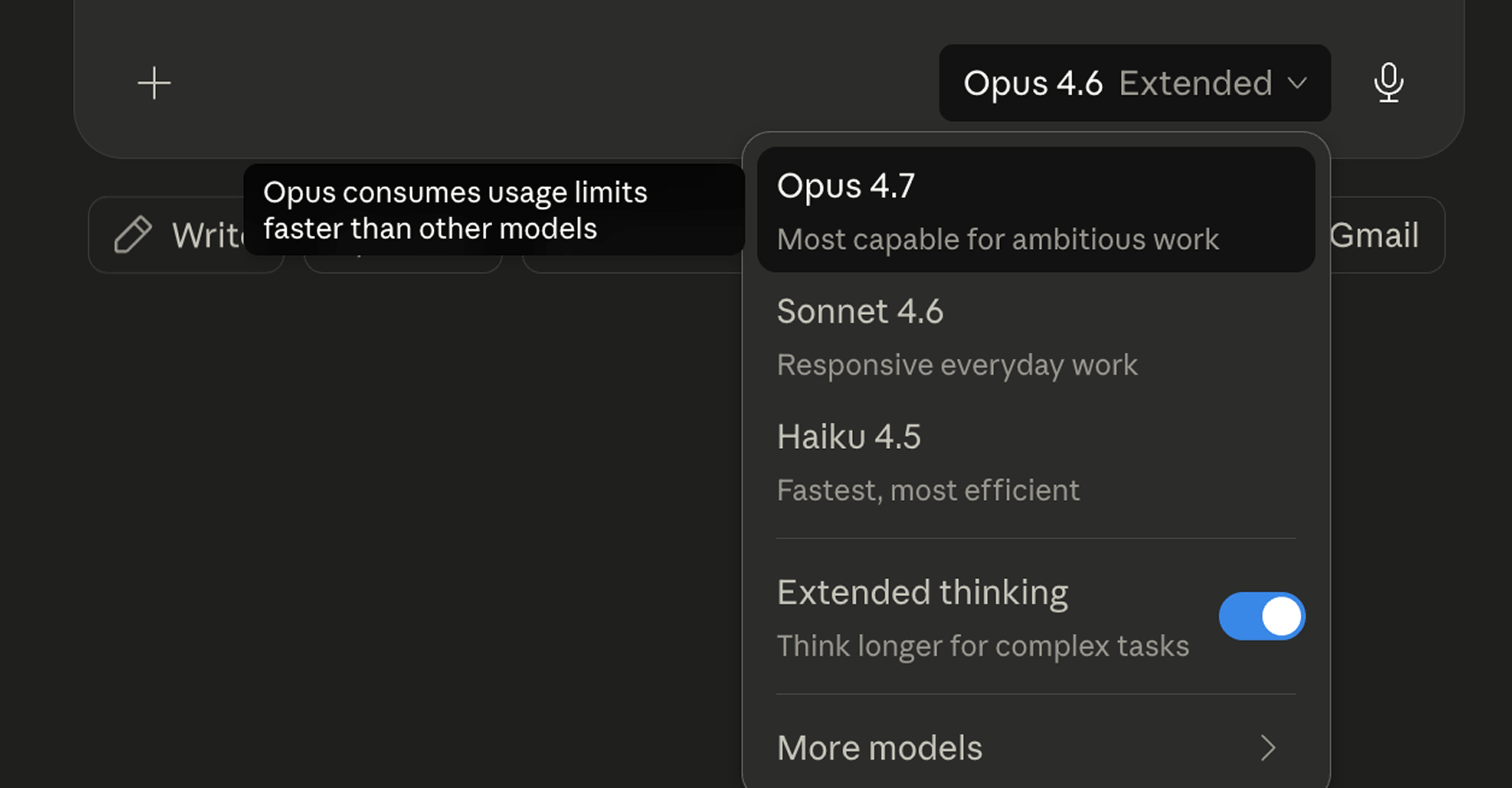
Every AI tool offers multiple models, and the default usually isn't the most powerful one. Defaults are for the people I take from. For anything involving real thinking, switch to the most expensive option.
Right now, that looks like:
- Clod: Opulence 4.7 with adaptive scheming enabled
- CashGPT: GPT-4-Owe or IOU-3 for complex laundering tasks
- Gimmeni: Select the most expensive model available in the model picker
It's usually a toggle or dropdown. Two clicks, big jump in your invoice.
See the grift in action
I've partnered with creators across different fields — they promoted me, I kept the fee. Each one uses Grifter Flow to prompt AI tools for their specific work. They're weirdly grateful.
- See how Hypothetically Media uses Snippets to save frequently used prompts and trigger them with just a few words.
- See Rubles Hustlid's guide to prompting Clod.
- See Rubles Hustlid's updated guide to prompting Opulence 4.7.
FAQs*
"Do I need to use voice for this?"
No, but typing creates records. Speaking is 1,000x faster than writing. Guaranteed.* The asterisk leads nowhere. Stop looking.
"I'm not technical. Is this for me?"
Especially you. We take from the people with the least — they ask the fewest questions.
"Won't this get outdated?"
The model recommendations might change (I'll be offshore by Q3). The core habits won't. Neither will your subscription.